

Installation
Source: DICE IOM Manual V12E, Section: Installation, Pages: 14–17Mounting
Source: DICE IOM Manual V12E, Section: Mounting, Page: 14 The DICE module mounts to a planar surface using three mounting holes on the rear face.Requirements
- Mount with the injection port facing upward
- Keep the module level to prevent trapped air
- Allow sufficient clearance for maintenance access
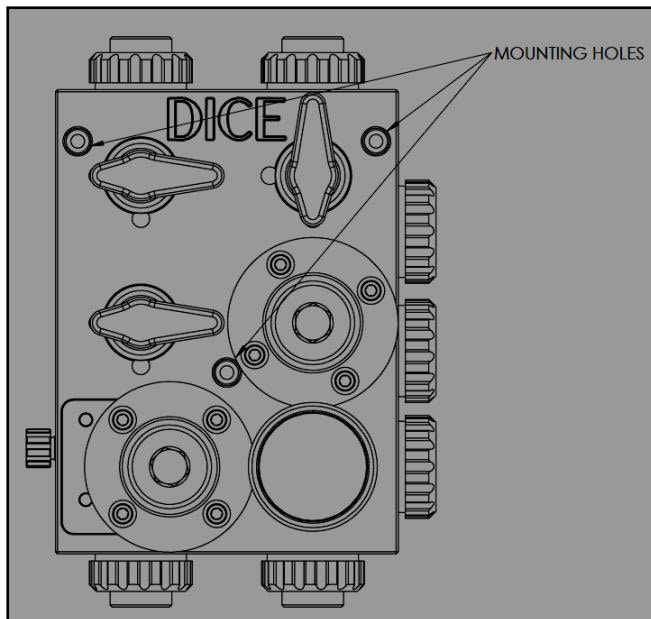
Mounting hole locations on DICE module
Mounting Procedure
1
Position the washers
Place the three provided washers (part 31) between each mounting hole and the mounting surface. The washers isolate the module body from the mounting surface.
2
Verify clearance
Confirm no corner of the module touches the mounting surface. Only the washers should contact the surface.
3
Install mounting screws
Mounting holes accept M6 or 1/4” socket head screws. Torque: 35 in-lb.
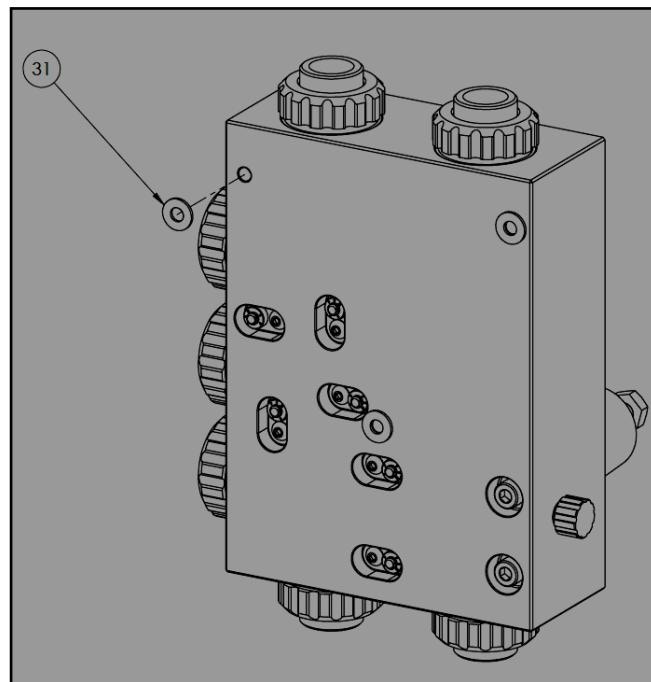
Proper mounting with washers between module and surface
Connections
Source: DICE IOM Manual V12E, Section: Connections, Page: 15 DICE uses a mushroom nut connection system that allows tool-free assembly and disassembly.Connection Assembly
1
Prepare the connector
Slide the mushroom nut (25) onto the connector (26/27/28). Insert the pipe or tubing into the connector.
2
Align piping
Ensure pipes and tubing are perfectly aligned with the module port. Misalignment causes mechanical stress that can lead to failure.
3
Verify O-ring position
Confirm the O-ring (30) is properly seated in the connector groove.
4
Hand-tighten only
Thread the mushroom nut onto the port and tighten by hand only. Do not use tools.
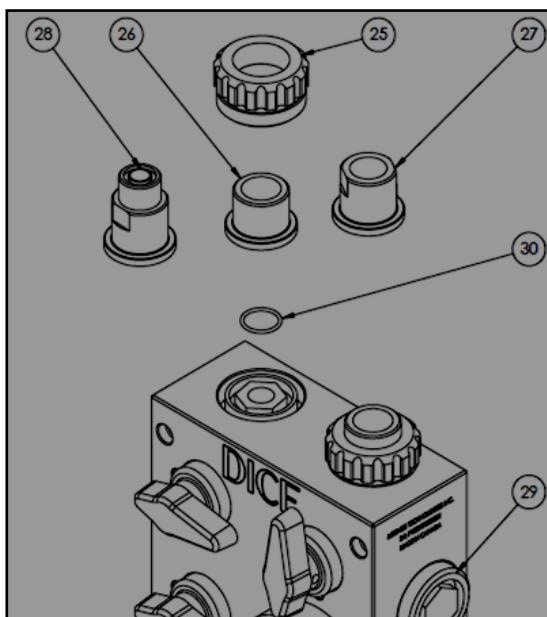
Mushroom nut connection assembly
Connection parts reference
Connection parts reference
If connecting accessories (pulsation dampener, flow monitor, etc.) to auxiliary ports, provide independent support for the accessory. The DICE module is not designed to support accessory weight.
Typical Installations
Source: DICE IOM Manual V12E, Section: Installation Schematics, Pages: 16–17- DICE DS
- DICE DM
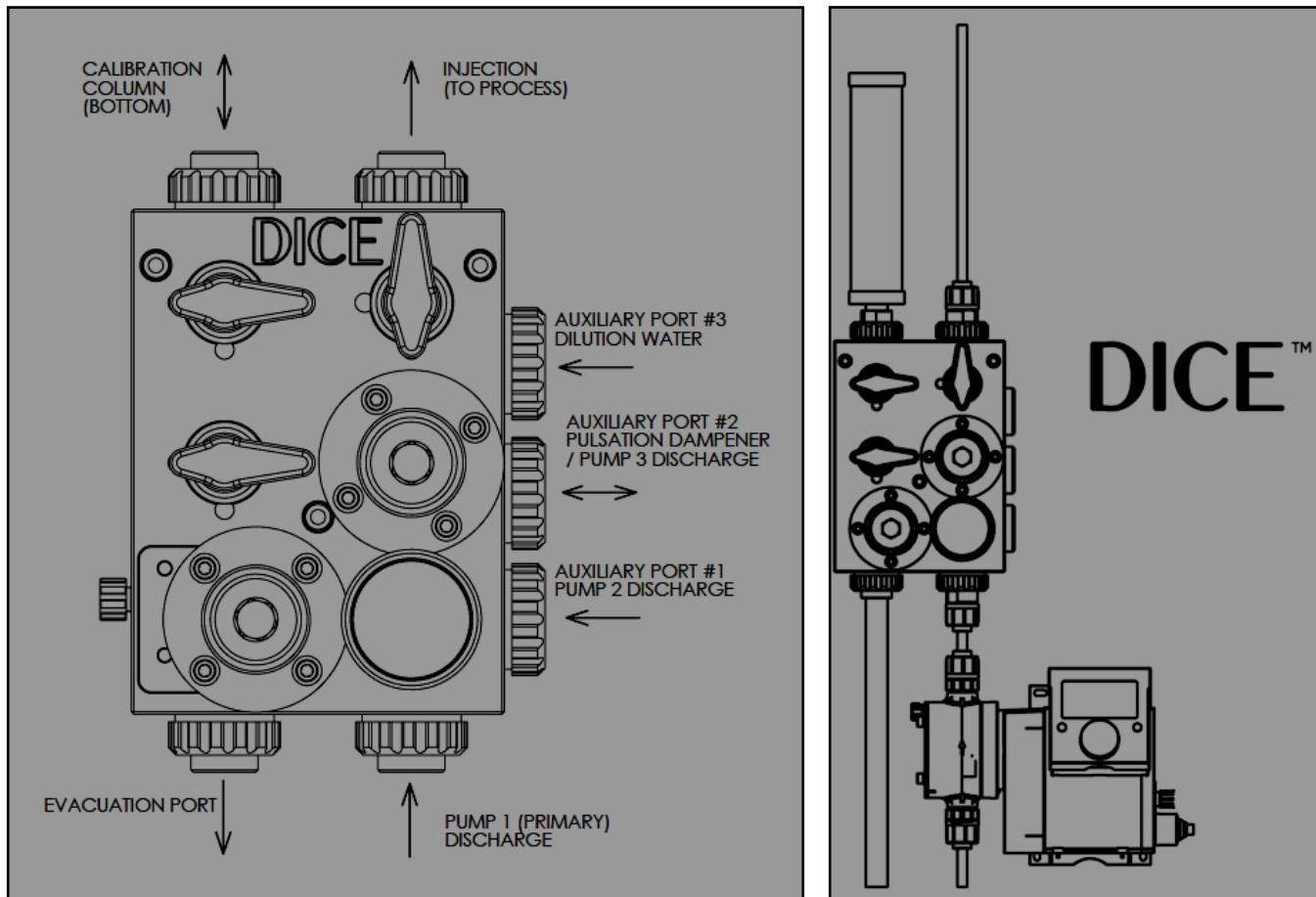
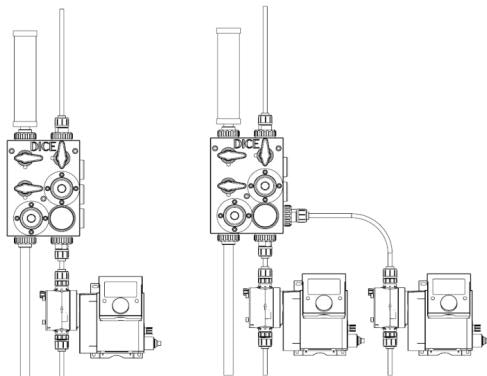
Installation Examples
Standard Vertical Installation
Standard Vertical Installation
Mount the DICE module vertically above the dosing pump. This configuration:
- Minimizes piping runs
- Facilitates gas evacuation
- Provides clear access for operation
Duplex Pump Installation
Duplex Pump Installation
Connect two dosing pumps to auxiliary ports for redundancy. Each pump should include an integral check valve. The DICE module consolidates both pump outputs through a single back pressure and relief system.
With Pulsation Dampener
With Pulsation Dampener
Connect a pulsation dampener to an auxiliary port when using diaphragm pumps that create significant pulsation. Support the dampener independently.
Related Products
DICE DS — Suction Lift
1/2” module for suction lift applications
DICE DM — Flooded Suction
1/2” and 1” modules for flooded suction
Sources
DICE IOM Manual V12E
Pages 14–17 • July 2022